Welcome to Memoria
Memoria lets friends who shared a moment — a trip, a wedding, a whole era — each write their own version of what happened. An AI then weaves everyone's memories into a single story you'll want to keep forever.
- Create a memory and invite friends with a private link.
- Everyone adds their own memories, photos and voice notes.
- The AI weaves all contributions into one story, in the tone and length you choose.
- Publish and read the final story in English, Spanish or Portuguese.
1.Creating your account
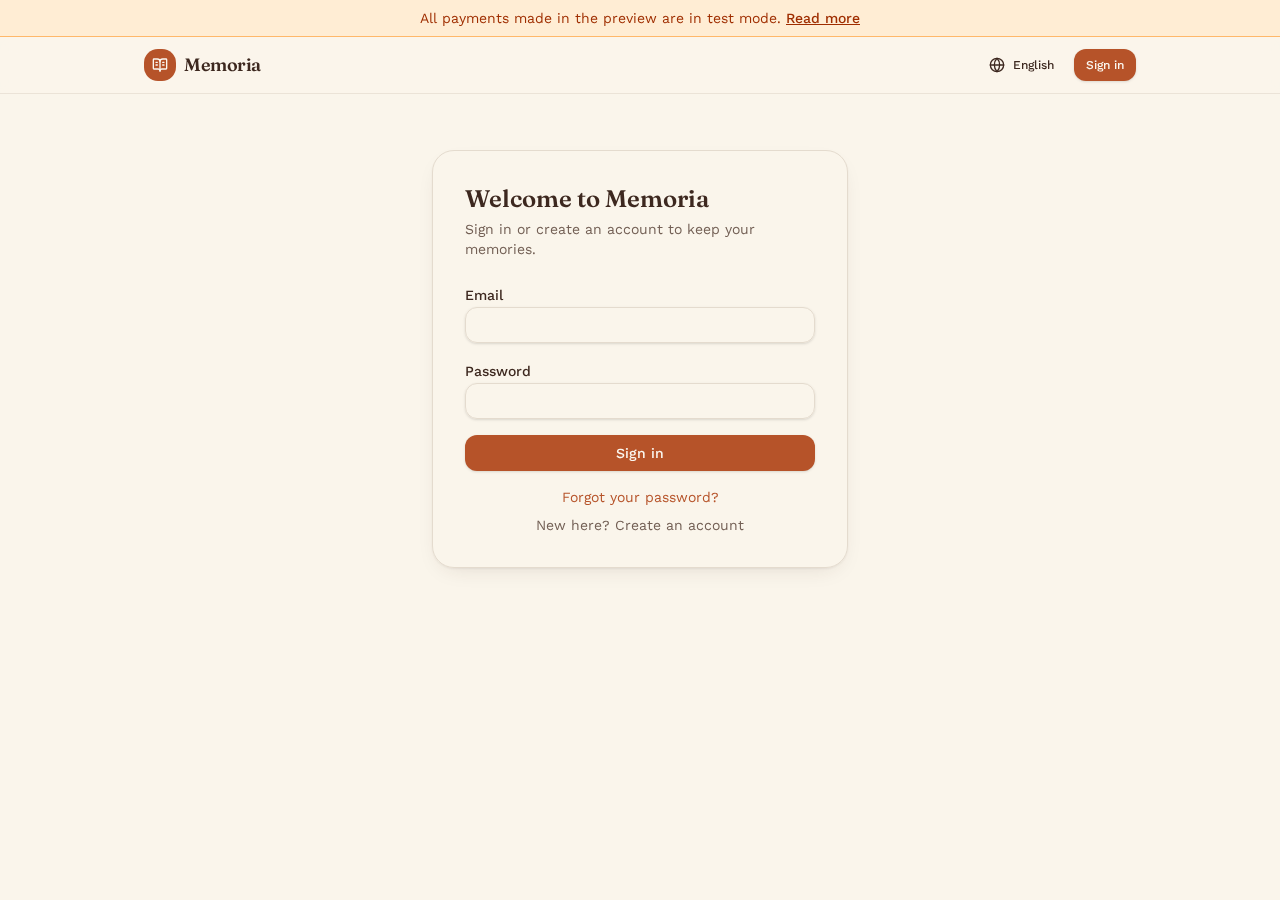
Open Memoria and choose Start a memory or Sign in. You can register with your email address or sign in with Google.
- Enter your email and a password, then confirm your account via the verification email.
- Or use the Google button for one-click sign-in.
- Pick your preferred language (English, Español, Português) from the globe menu at any time — the whole app follows your choice.
2.Your dashboard
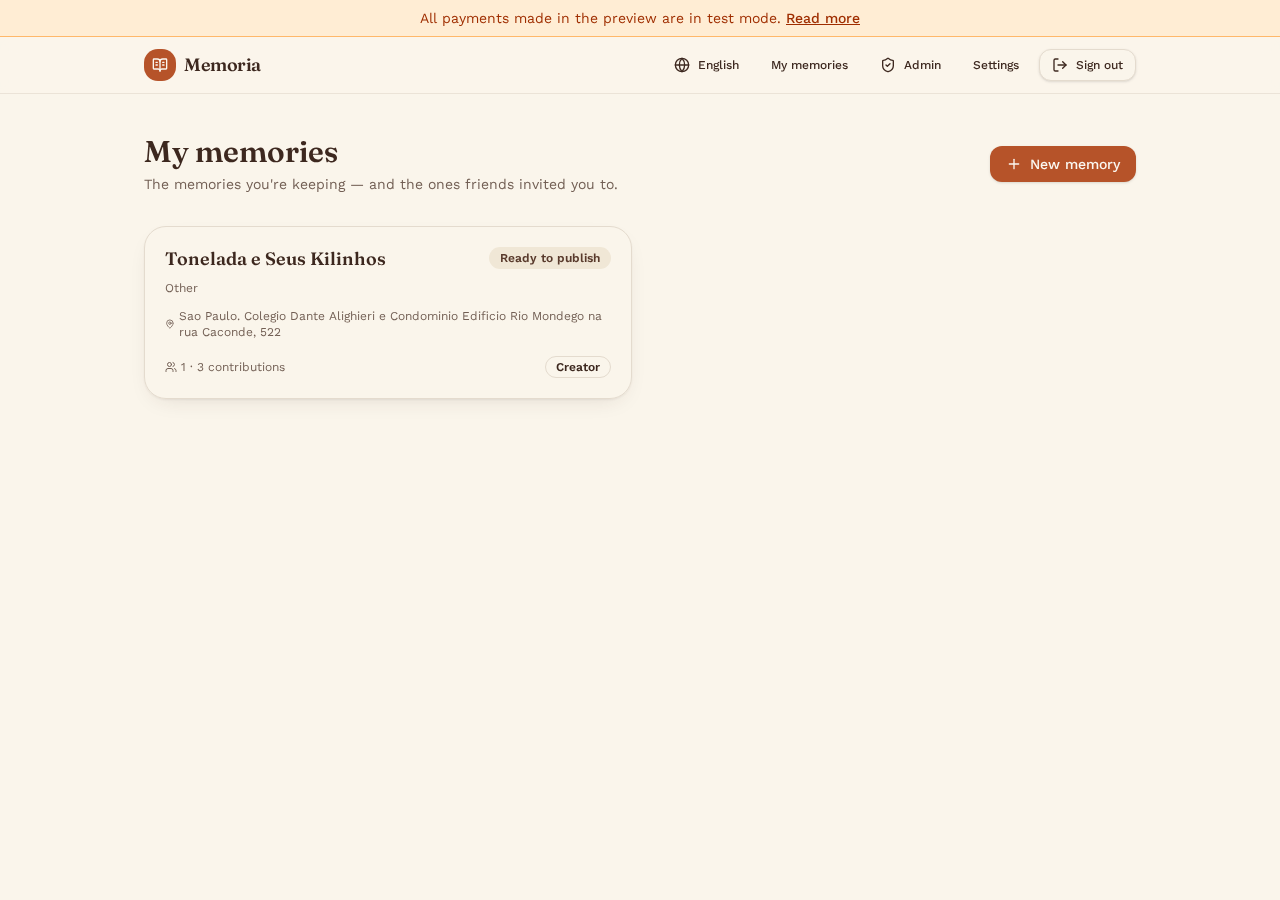
After signing in, My memories is your home. It lists every memory you created and every one you were invited to.
- Each card shows the title, type, place, contribution count and your role (Creator or Contributor).
- Status badges tell you where each memory stands: collecting, ready to publish, or published.
- Use + New memory to start a new one.
3.Starting a new memory
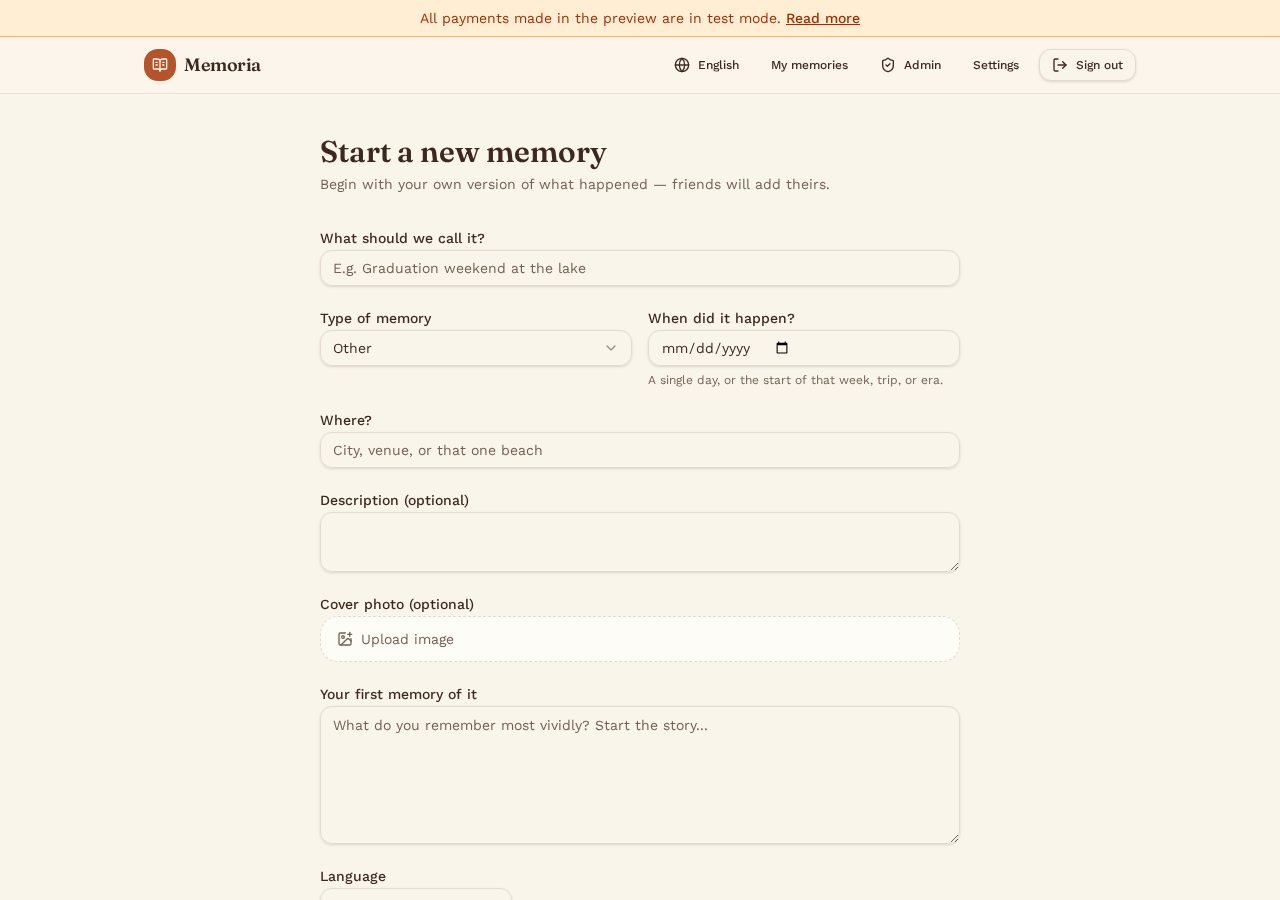
A memory can be a single day or a whole period — a weekend, a trip, an era. Fill in the essentials and write your own first version of what happened.
- Give it a title, choose the type, and set when it happened — a single day, or the start of that week, trip or era.
- Add a place and an optional description and cover photo.
- Write your first memory of it: what you remember most vividly.
- You can also record or upload a voice note — Memoria transcribes it automatically into text.
4.Inviting friends and gathering memories
Open your memory to reach the workspace. Share the private invite link with everyone who was there — guests can contribute without creating an account.
- Friends open the link, write their own memories, add photos with captions and private notes only you can see.
- Everyone can add more than one memory — as many moments as they remember.
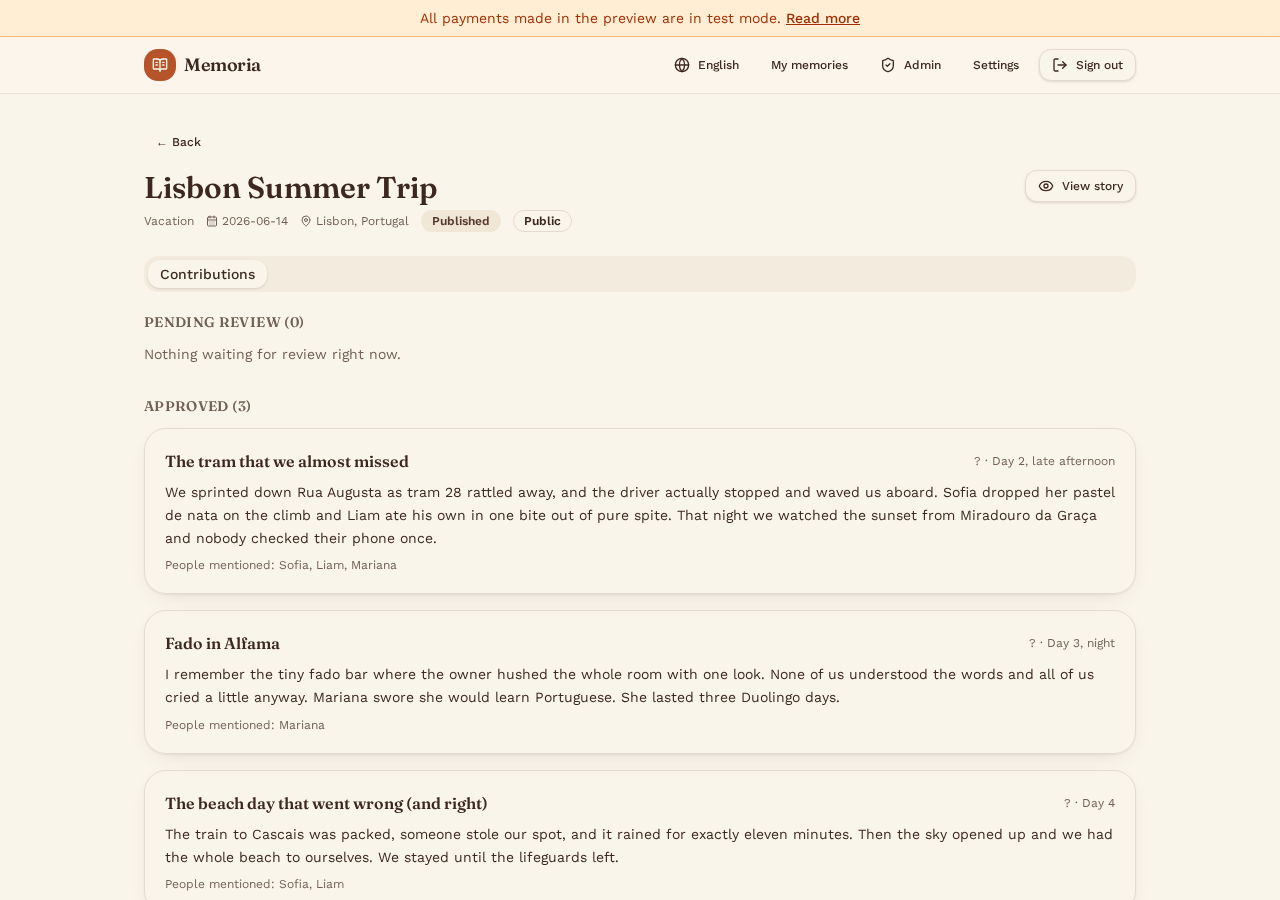
- As creator, you review every contribution: approve the ones that belong in the story, or archive the rest.
- Only approved memories are woven into the AI story.
5.Weaving the story
In the Story tab, choose a tone (warm, funny, epic, poetic…) and a length, then generate. The AI uses every approved memory — titles, dates, people mentioned and photo captions — and can enrich the narrative with real historical context about the place and era.
- Not happy with the mood? Pick another tone or a mood chip and regenerate.
- Whenever you approve a new memory, the story is automatically rewritten using your last tone and length.
- Only the memory's owner can generate, rewrite or edit the story.
- Every generation is kept: open Version history to read any earlier draft.
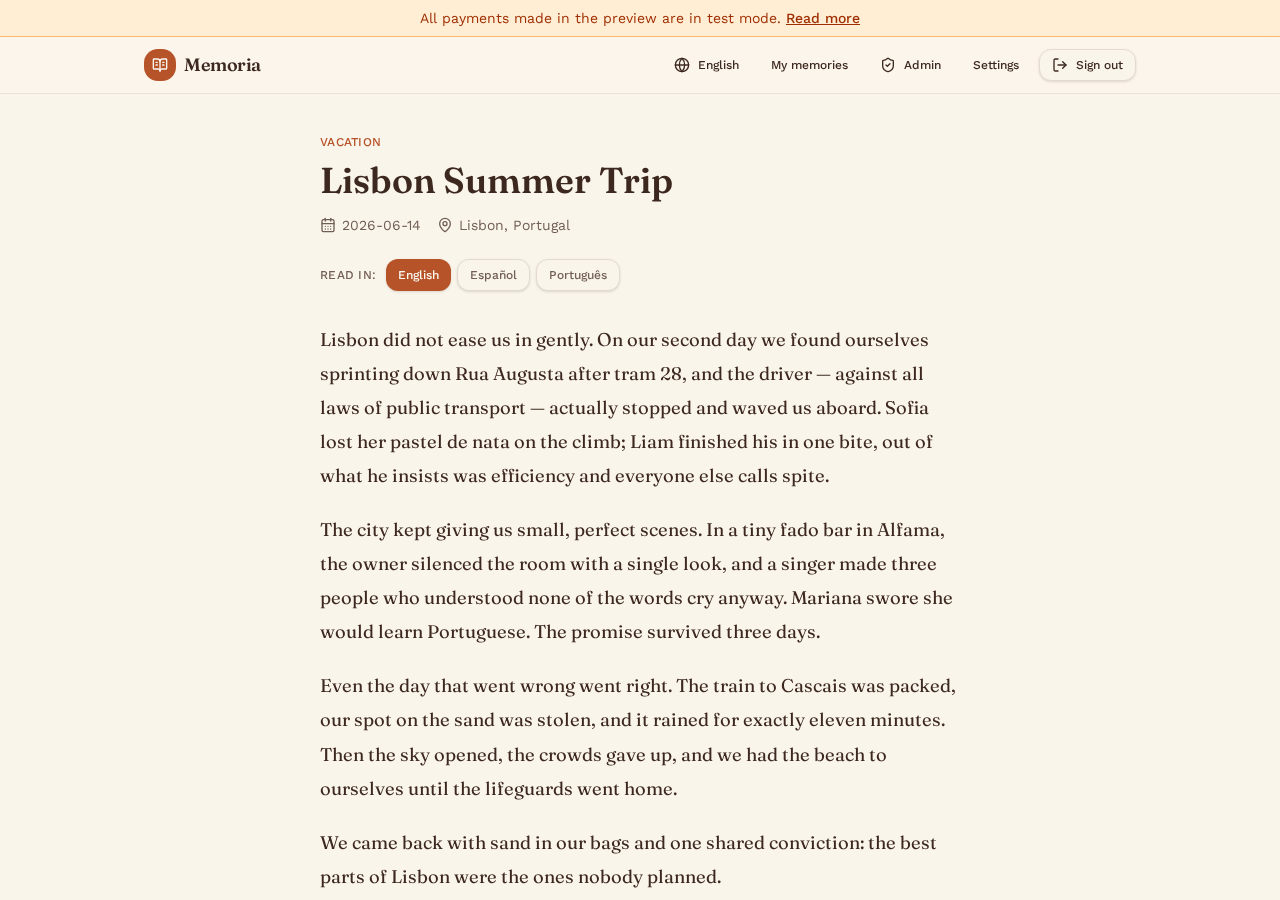
- Publish to get a public page — the story is automatically translated into all three languages, with a language switcher for readers.
6.Reading, listening and sharing
Once published, the story lives on its own page. Invited friends can open it straight from their invitation link — no account needed.
- Readers switch between English, Spanish and Portuguese at any time.
- Listen to the story with three AI narrators (warm, deep, bright) — or with the creator's own cloned voice.
- Narration is saved after the first play, so replaying or switching back is instant.
- Download the story as a PDF in whichever language you're reading.
- Spotted a mistake? Readers can highlight a passage and suggest a correction; the owner approves or dismisses it, and approved fixes update the story and its translations.
7.Plans and billing
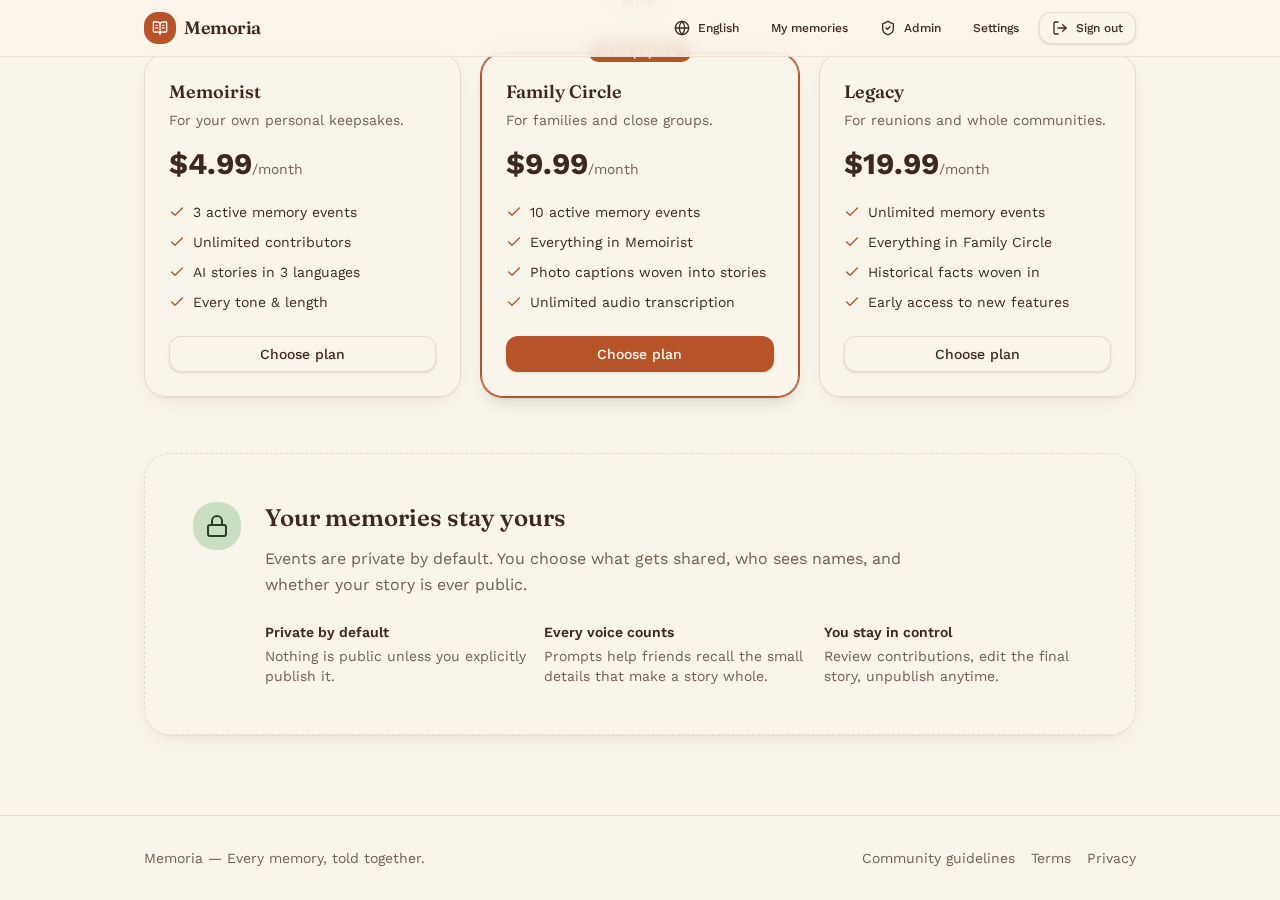
Memoria offers a free tier plus three paid plans, billed securely by Stripe.
- Free: 1 memory. Memoirist: 3 memories. Family Circle: 10 memories. Legacy: unlimited memories.
- Paid plans add more contributors, longer stories and audio transcription.
- Upgrade, downgrade (prorated, effective immediately) or cancel anytime from Settings → Subscription; cancelled plans stay active until the end of the paid period.
8.Settings and your voice
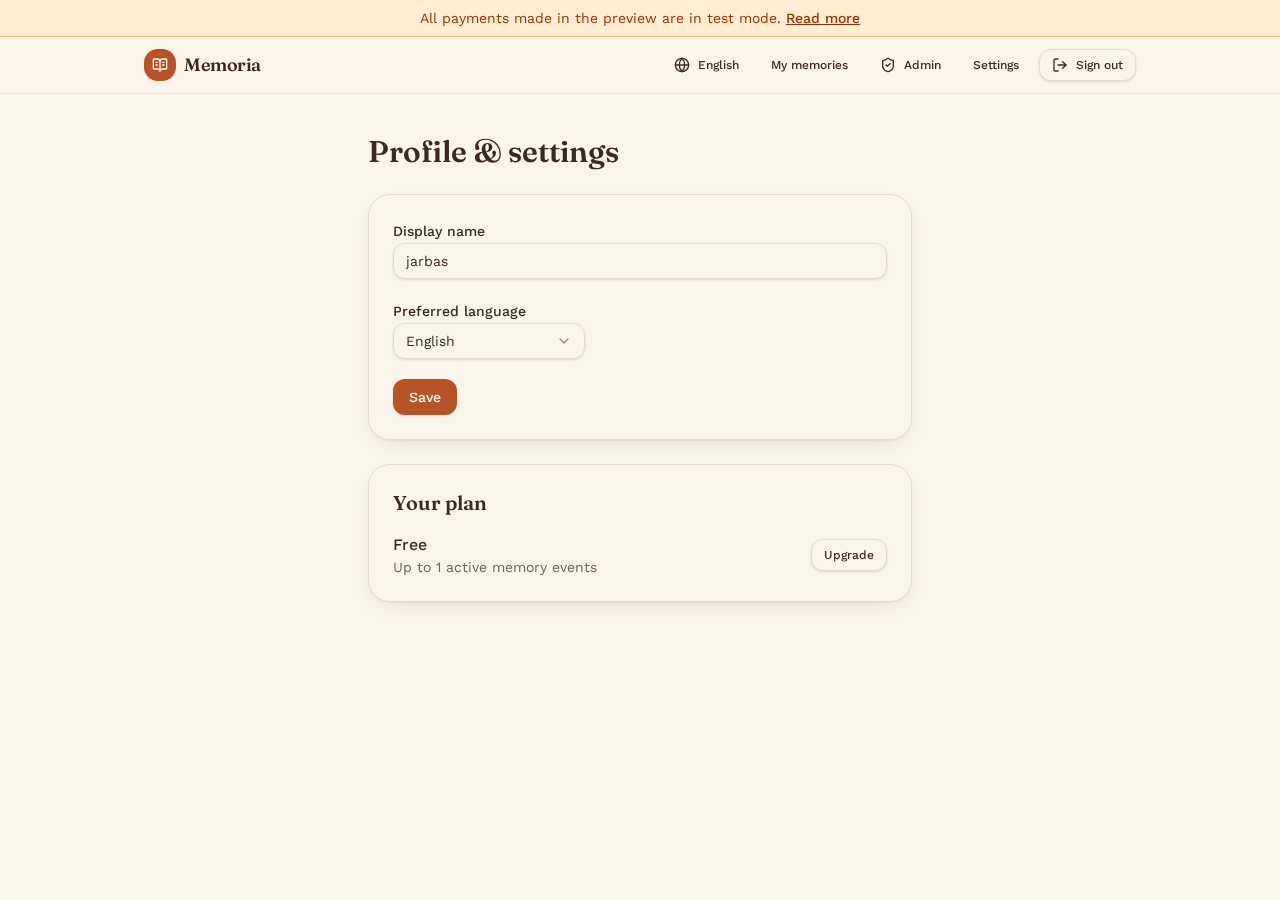
In Settings you can update your profile, preferred language and subscription — and record a short sample to clone your own voice for narration.
- Record or upload a voice sample; your cloned voice then appears as a narrator option on your published stories.
- For Portuguese, toggle between Brazilian and European accent — European narration is adapted automatically before it is read aloud.
- Use the suggestion box to send us ideas by text, voice note (transcribed automatically) or attachment.